Wireless Mouse Kit Collection
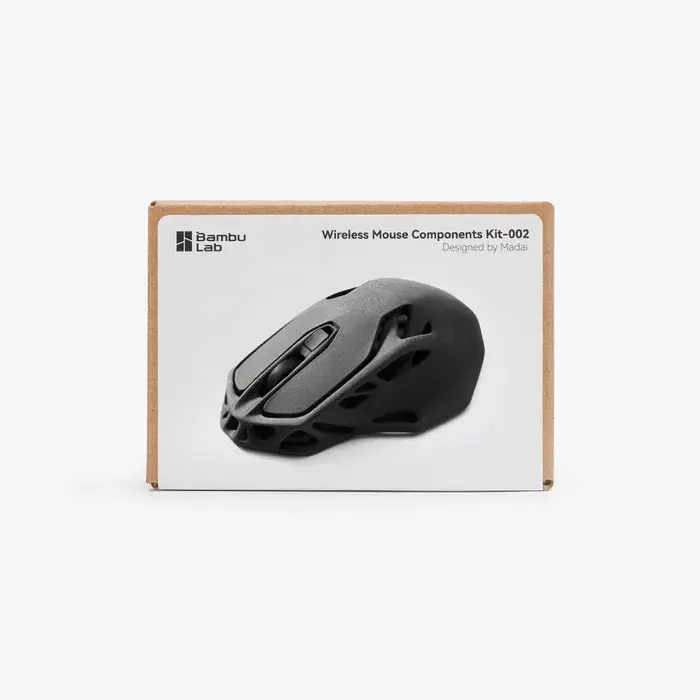
Wireless Mouse Components Kit 002
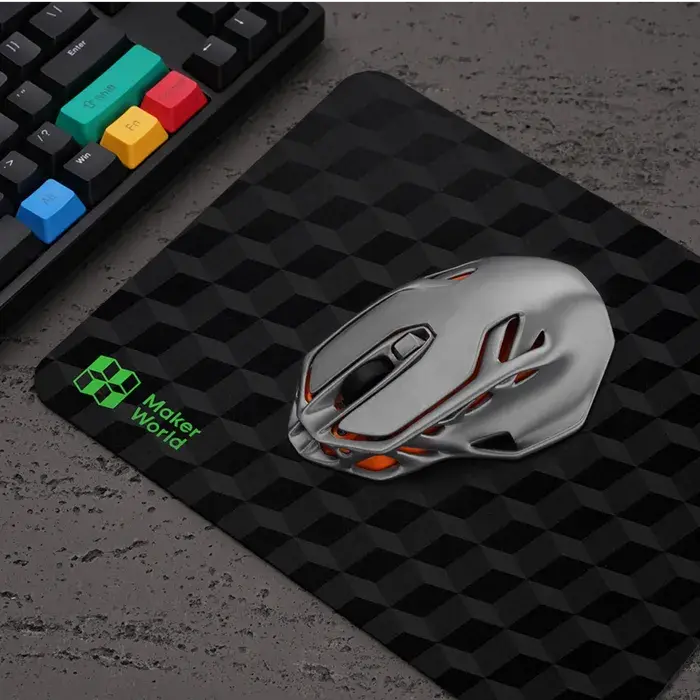
Combine 3D printing and electronics to build your own fully functional wireless mouse. This kit includes the essential hardware and PCB for the Wireless Mouse 002 project—just print the shell and assemble the pieces for a one-of-a-kind desktop accessory.
Key Features
- DIY project: Print, assemble, and customize your own wireless mouse.
- Reliable wireless connection: Built-in 2.4 GHz module with USB receiver.
- Rechargeable: Includes a 500 mAh lithium battery with USB-C charging.
- Customizable design: Print the shell in any color or filament type to match your style.
What’s in the Box
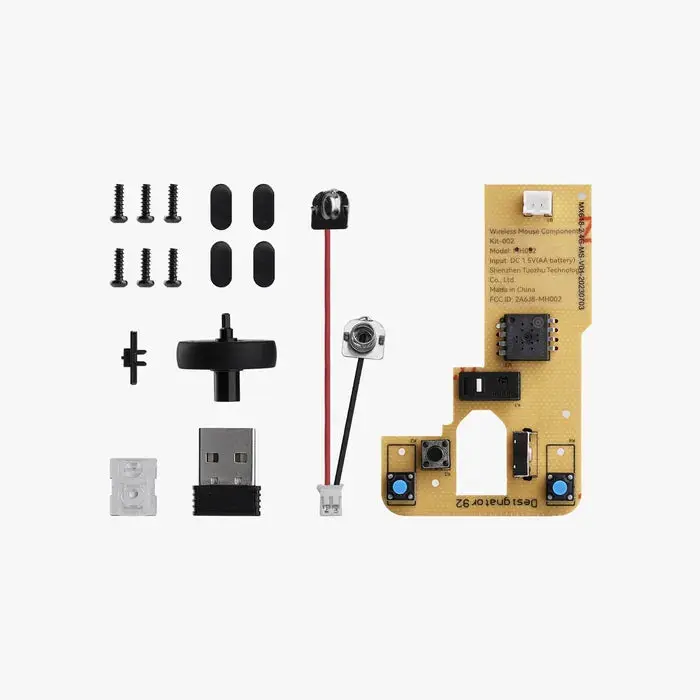
- Wireless mouse PCB × 1
- 500 mAh Li-ion battery × 1
- USB-C charging module × 1
- Micro switches × 2
- Scroll wheel mechanism × 1
- USB receiver × 1
- Assembly hardware
Assembly Steps
- Download the Wireless Mouse 002 STL files from MakerWorld.
- 3D print the mouse shell and button parts.
- Install the PCB, switches, and scroll mechanism.
- Connect the Li-ion battery and charging module.
- Close the printed shell, plug in the USB receiver, and start using your custom-built mouse.
Tip: Print your shell in lightweight PLA for smoother ergonomics, or try carbon-fiber filaments for a premium feel.
Product Information
Product Information
Shipping & Returns
Shipping & Returns
Wireless Mouse Kit Collection
Wireless Mouse Kit Collection
Wireless Mouse Components Kit 002
Combine 3D printing and electronics to build your own fully functional wireless mouse. This kit includes the essential hardware and PCB for the Wireless Mouse 002 project—just print the shell and assemble the pieces for a one-of-a-kind desktop accessory.
Key Features
- DIY project: Print, assemble, and customize your own wireless mouse.
- Reliable wireless connection: Built-in 2.4 GHz module with USB receiver.
- Rechargeable: Includes a 500 mAh lithium battery with USB-C charging.
- Customizable design: Print the shell in any color or filament type to match your style.
What’s in the Box
- Wireless mouse PCB × 1
- 500 mAh Li-ion battery × 1
- USB-C charging module × 1
- Micro switches × 2
- Scroll wheel mechanism × 1
- USB receiver × 1
- Assembly hardware
Assembly Steps
- Download the Wireless Mouse 002 STL files from MakerWorld.
- 3D print the mouse shell and button parts.
- Install the PCB, switches, and scroll mechanism.
- Connect the Li-ion battery and charging module.
- Close the printed shell, plug in the USB receiver, and start using your custom-built mouse.
Tip: Print your shell in lightweight PLA for smoother ergonomics, or try carbon-fiber filaments for a premium feel.
Original: $11.96
-65%$11.96
$4.19Product Information
Product Information
Shipping & Returns
Shipping & Returns
Description
Wireless Mouse Components Kit 002
Combine 3D printing and electronics to build your own fully functional wireless mouse. This kit includes the essential hardware and PCB for the Wireless Mouse 002 project—just print the shell and assemble the pieces for a one-of-a-kind desktop accessory.
Key Features
- DIY project: Print, assemble, and customize your own wireless mouse.
- Reliable wireless connection: Built-in 2.4 GHz module with USB receiver.
- Rechargeable: Includes a 500 mAh lithium battery with USB-C charging.
- Customizable design: Print the shell in any color or filament type to match your style.
What’s in the Box
- Wireless mouse PCB × 1
- 500 mAh Li-ion battery × 1
- USB-C charging module × 1
- Micro switches × 2
- Scroll wheel mechanism × 1
- USB receiver × 1
- Assembly hardware
Assembly Steps
- Download the Wireless Mouse 002 STL files from MakerWorld.
- 3D print the mouse shell and button parts.
- Install the PCB, switches, and scroll mechanism.
- Connect the Li-ion battery and charging module.
- Close the printed shell, plug in the USB receiver, and start using your custom-built mouse.
Tip: Print your shell in lightweight PLA for smoother ergonomics, or try carbon-fiber filaments for a premium feel.